Audit Overview
Your store's untapped revenue potential — and how to unlock it
Why We Created This Audit
We analyzed https://www.primevideo.com the same way we've audited 350+ e-commerce stores — looking for the specific gaps between your current experience and what top-performing Electronics stores deliver. Every finding in this report is a revenue opportunity backed by industry data and competitive benchmarks.
What We Analyzed
- UX & Conversion Design15 findings
- Technology & App StackPlatform + 10 apps
- Industry BenchmarksElectronics
Pages Analyzed
- Homepage4 findings
- Collection Pages3 findings
- Product Pages (PDP)4 findings
- Cart & Checkout4 findings
 This audit was prepared by Growisto — a CRO-led Website development team behind 167% conversion growth for Atomberg, 46% CR lift for TyresNmore, and 350+ e-commerce projects.
UX & Conversion Findings
Page-by-page analysis with visual comparisons against top Electronics stores
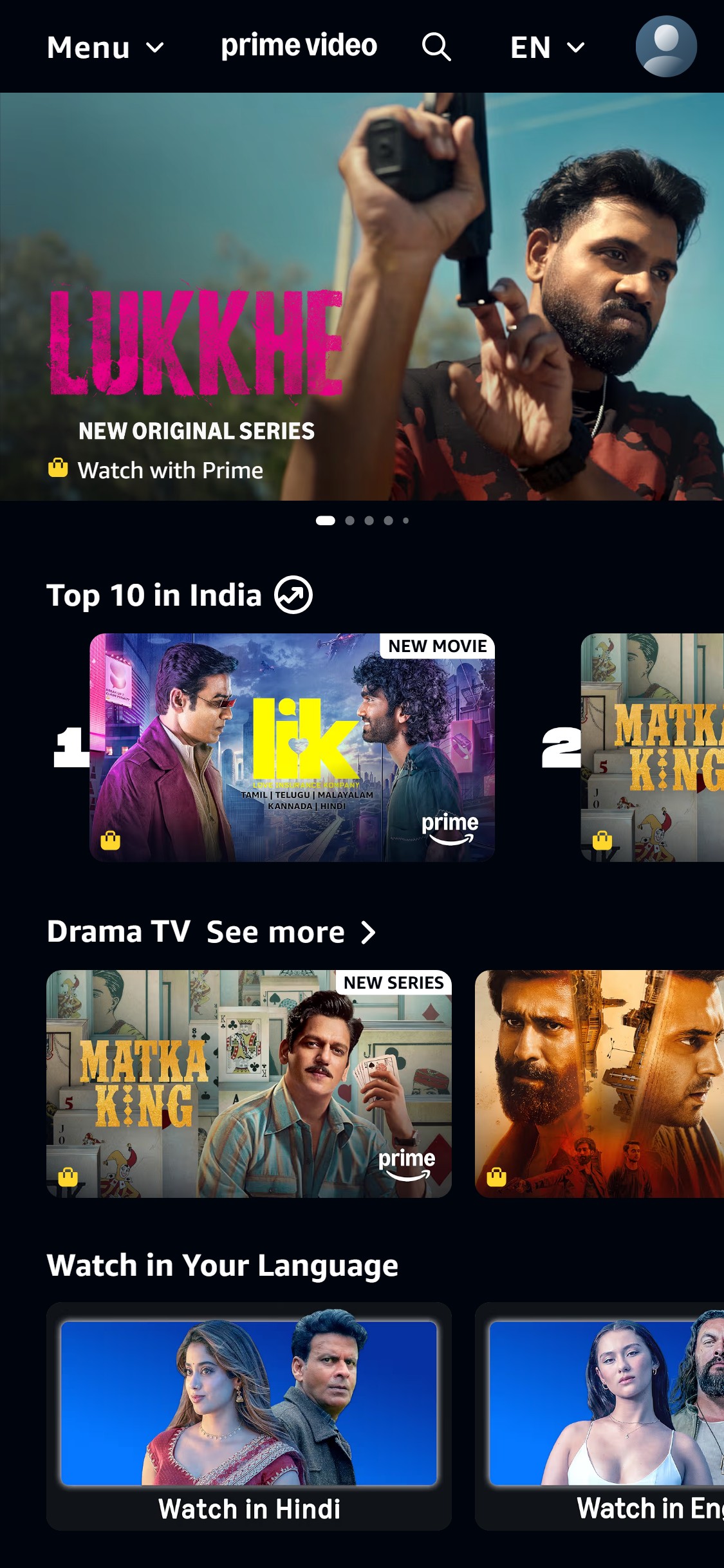
- The homepage header shows only 'Menu', the Prime Video logo, a search icon, a language selector, and a profile icon — no persistent announcement bar, no pricing CTA, and no free-trial prompt is visible anywhere in the first fold.
- Non-logged-in visitors see a full-screen hero image with a content title ('Lukkhe') and a 'Watch with Prime' lock icon, but no indication of what Prime costs or how to start a trial — the subscription value proposition is completely absent above the fold.
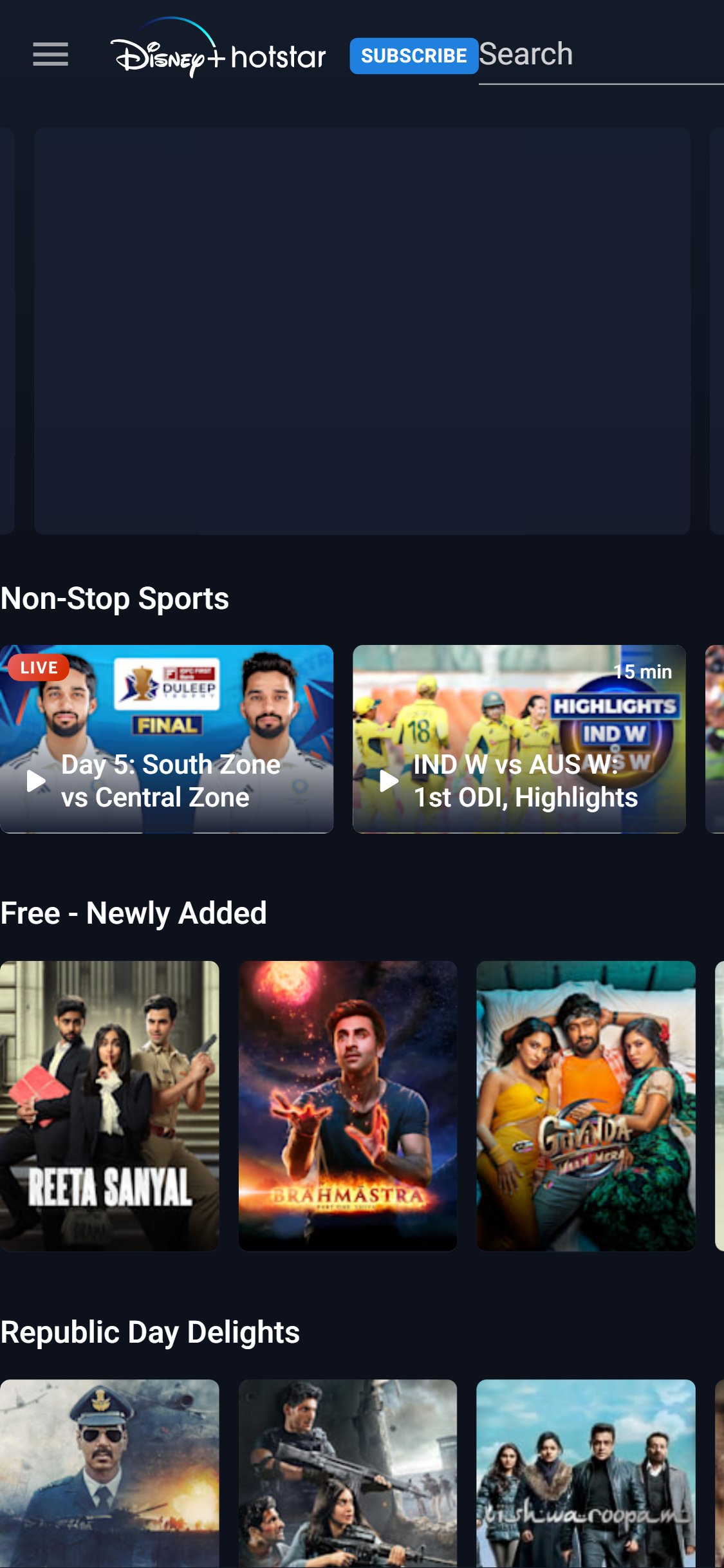
- Streaming industry benchmarks show 9/10 leading platforms display a promotional banner or sticky pricing CTA at the top of the page; the absence means the primary conversion trigger (start a trial) is invisible until the user actively seeks the subscribe page.
- Add a sticky announcement bar above the main navigation showing a free trial or introductory offer, e.g., 'Start your 30-day free trial — Cancel anytime' with a single CTA button linking directly to the subscribe/signup page.
- Ensure the bar persists on scroll so that users browsing content rows still have a visible subscribe prompt — critical for the non-logged-in acquisition funnel.
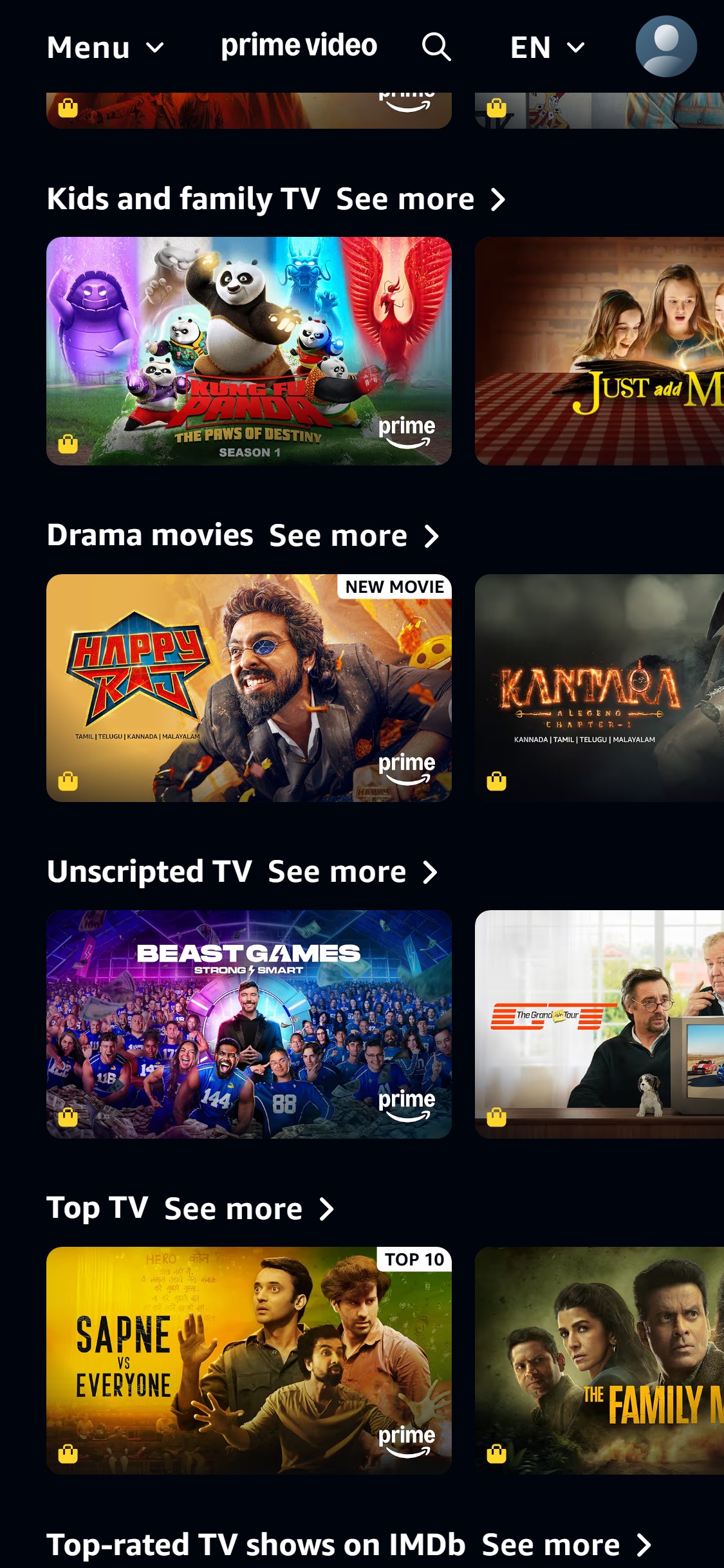
- The entire homepage — all five scroll screenshots — contains no mention of pricing, subscription tiers, or a 'Subscribe from ₹X/month' callout anywhere visible to a non-logged-in visitor.
- Content cards display a padlock icon with 'Watch with Prime' but do not communicate what 'Prime' costs, creating a friction point where curious users must navigate to a separate page to learn whether the service is within their budget.
- This anti-pattern increases bounce rate among price-sensitive Indian users who will not initiate a subscription without knowing the cost upfront.
- Add a 'Plans from ₹299/month' price anchor near the hero CTA or within the first two content rows, linking to the subscription plans page.
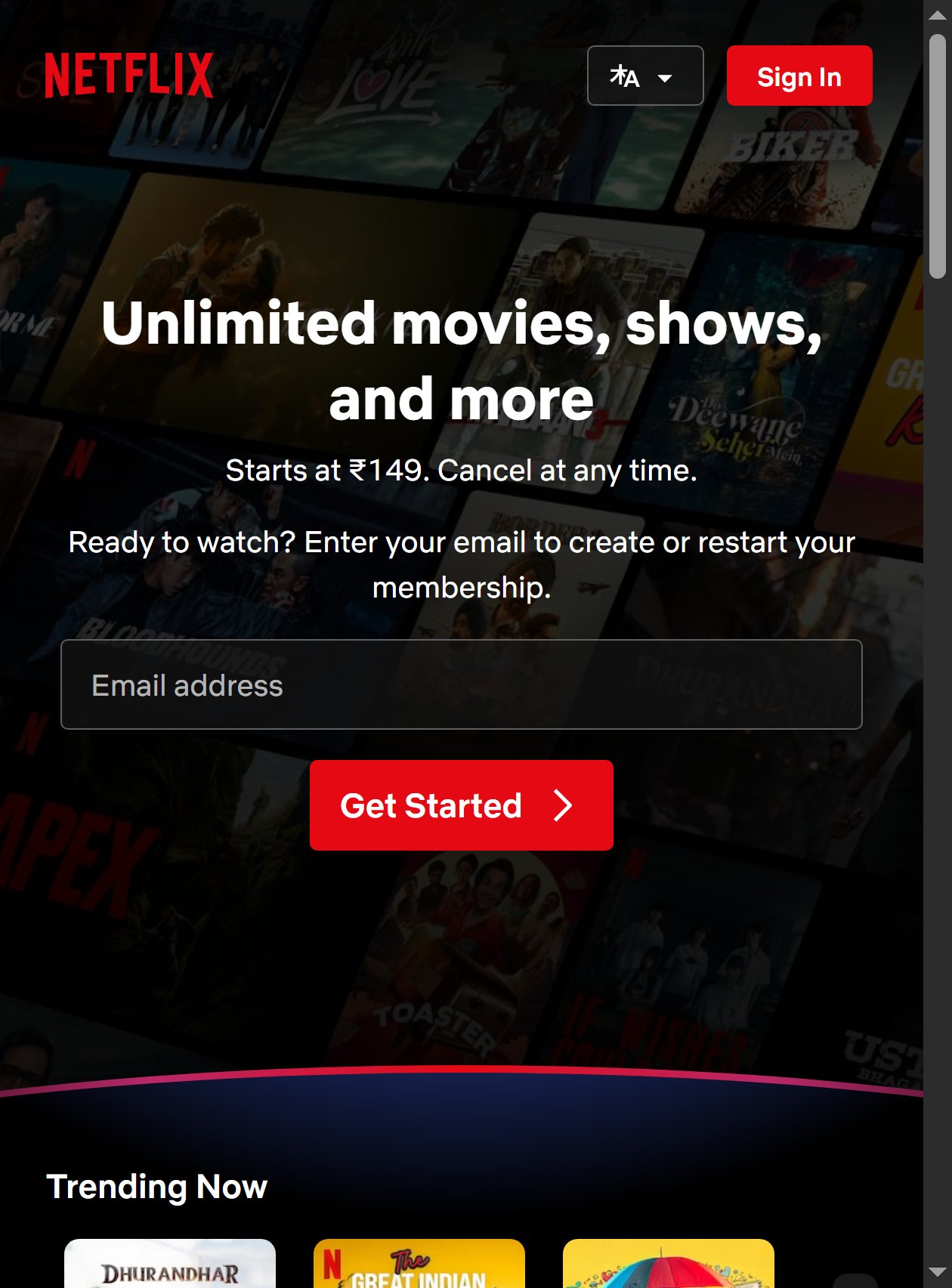
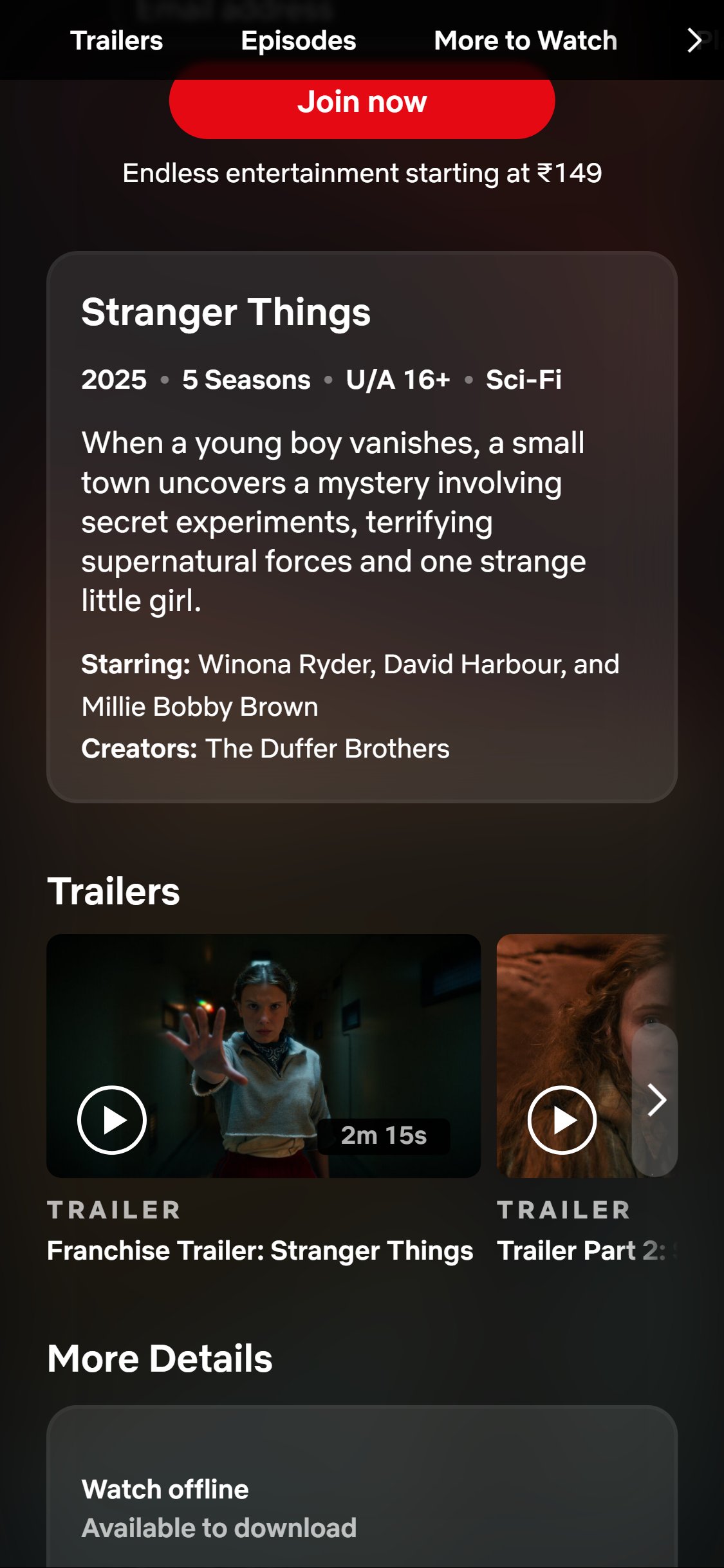
- Consider a floating 'Subscribe' pill button with starting price that remains visible as users scroll — similar to how Netflix India shows 'Starts at ₹149. Cancel at any time.' as a sub-headline on its homepage.
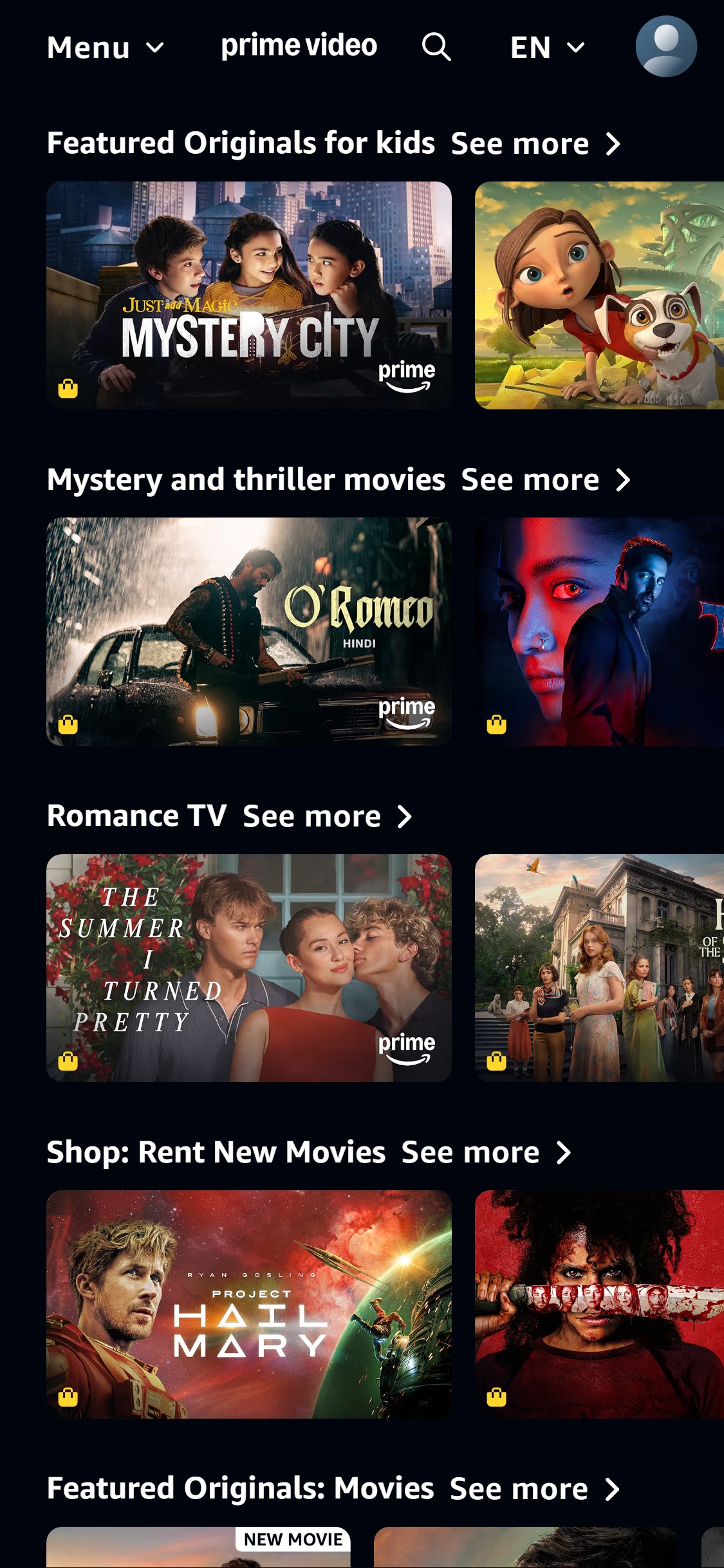
- The homepage content rows are purely editorial: 'Top 10 in India', 'Drama TV', 'Kids and Family TV', 'Drama Movies' — all genre/trending rails with no personalization visible even for a logged-in session.
- There is no 'Continue Watching' row, no 'Because You Watched' recommendation rail, and no 'Recommended for You' section visible across the five homepage scroll screenshots.
- Absence of personalized rails means returning users must scroll through generic editorial content to find where they left off, increasing session abandonment.
- Place a 'Continue Watching' rail as the first or second content row on the homepage for all authenticated users, showing episode progress bars on each content card.
- Add at least one 'Recommended for You' or 'Because You Watched [Title]' row in the top 3 homepage rows — algorithmic personalization drives 35%+ of engagement on leading streaming platforms.
- Content cards across the homepage rows show 'NEW MOVIE' and 'NEW SERIES' badges on select titles, but the majority of content cards — including those in the 'Top 10 in India' and 'Drama TV' rows — carry no badge at all.
- The 'Watch in Your Language' section shows content images with no metadata badges, genre labels, or release-year indicators, making it hard for users to distinguish new releases from catalogue titles.
- Inconsistent badging reduces urgency — users cannot identify new content without clicking into each title page.
- Apply consistent 'NEW' badges to all content added within the past 30 days, 'EXCLUSIVE' badges to Amazon Originals, and 'COMING SOON' for upcoming releases — across all homepage content rows, not just hero titles.
- Standardize the badge position to the top-right corner of content card thumbnails so users develop a visual scanning habit for freshness signals.
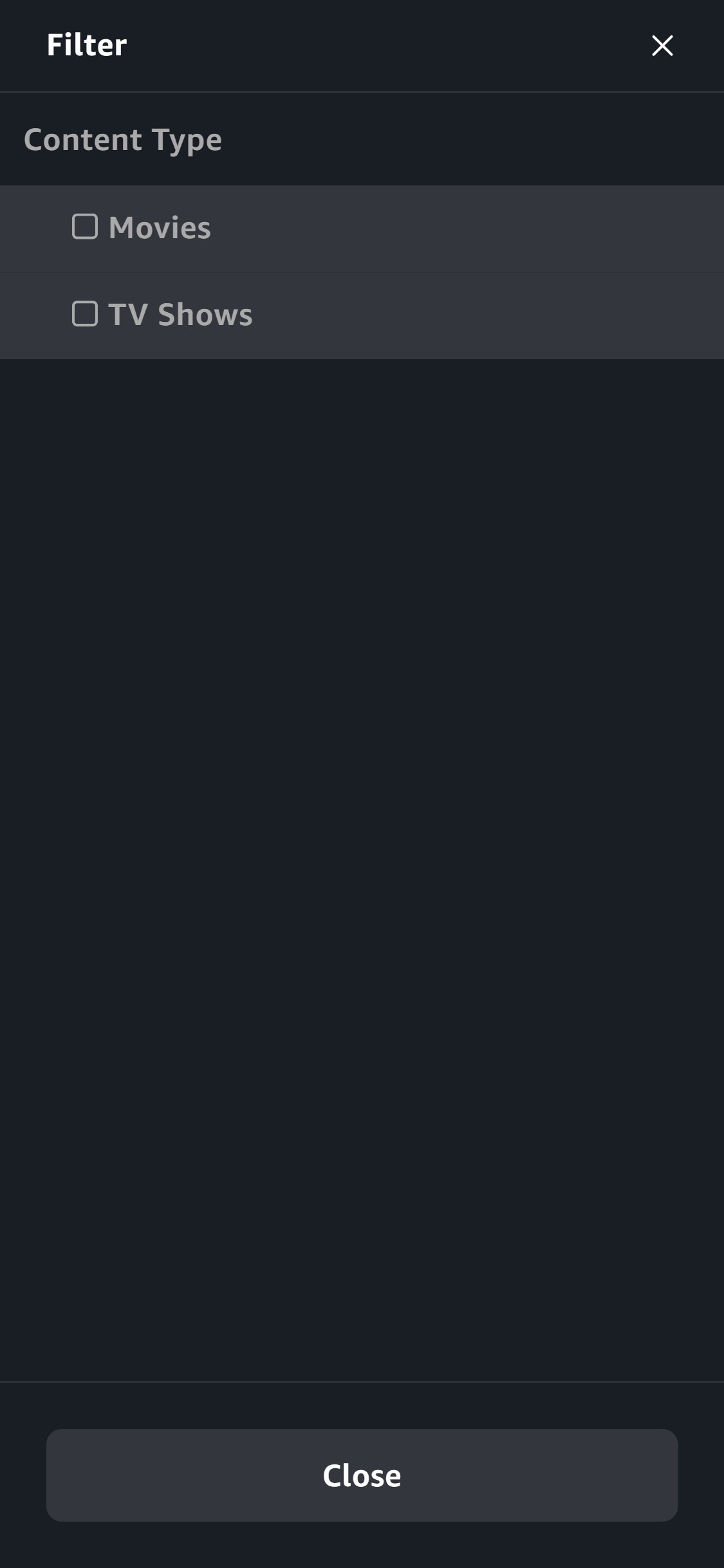
- The filter panel on the browse page shows only two options: 'Movies' and 'TV Shows' checkboxes under a single 'Content Type' group — no genre, language, release year, age rating, or sort options are present.
- Users browsing the 'Drama TV' category page see a single 'Filter' button that opens this minimal panel — there is no way to filter drama titles by language (Hindi vs. English vs. Tamil) or release year, which is critical for India's multi-lingual audience.
- Minimal filtering on a catalog with thousands of titles forces users to scroll excessively, increasing abandonment before reaching relevant content.
- Add filter dimensions for Genre, Language (Hindi/English/Tamil/Telugu/Malayalam etc.), Release Year range, Age Rating (U/UA/A), and Content Format — all accessible from the same filter drawer.
- Add a persistent sort option (Newest First, Most Popular, Top Rated on IMDb) alongside the filter button so users can reorder results without opening the filter panel.
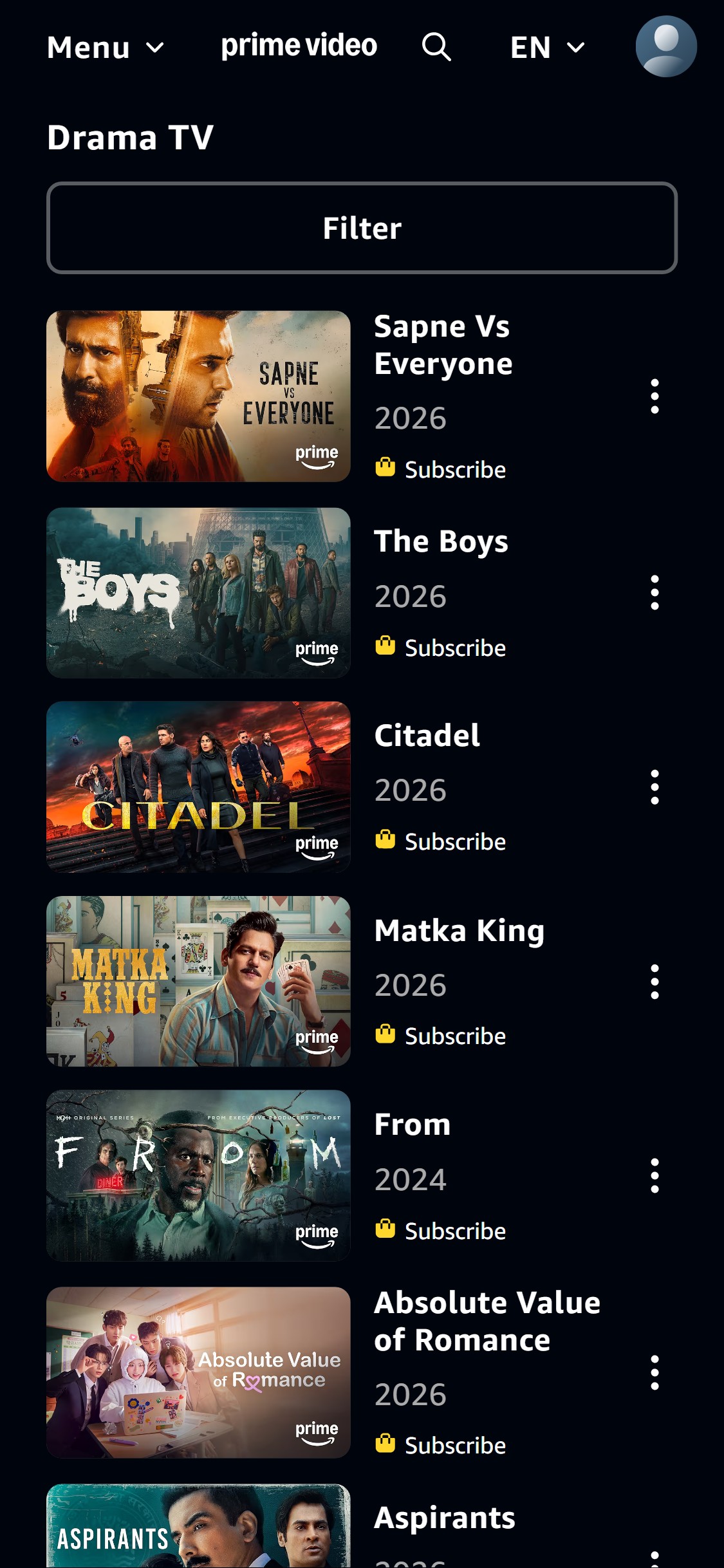
- Content cards on the Drama TV browse page show: thumbnail image, title, release year, and a 'Subscribe' lock icon — but no IMDb rating, no episode count, no genre tags, and no runtime information.
- Users must click into each title's detail page to see the IMDb score and runtime, creating an extra navigation step for users comparing multiple titles before deciding what to watch.
- The browse_scroll900 screenshot confirms this pattern persists across all cards — only title + year + subscription status are shown.
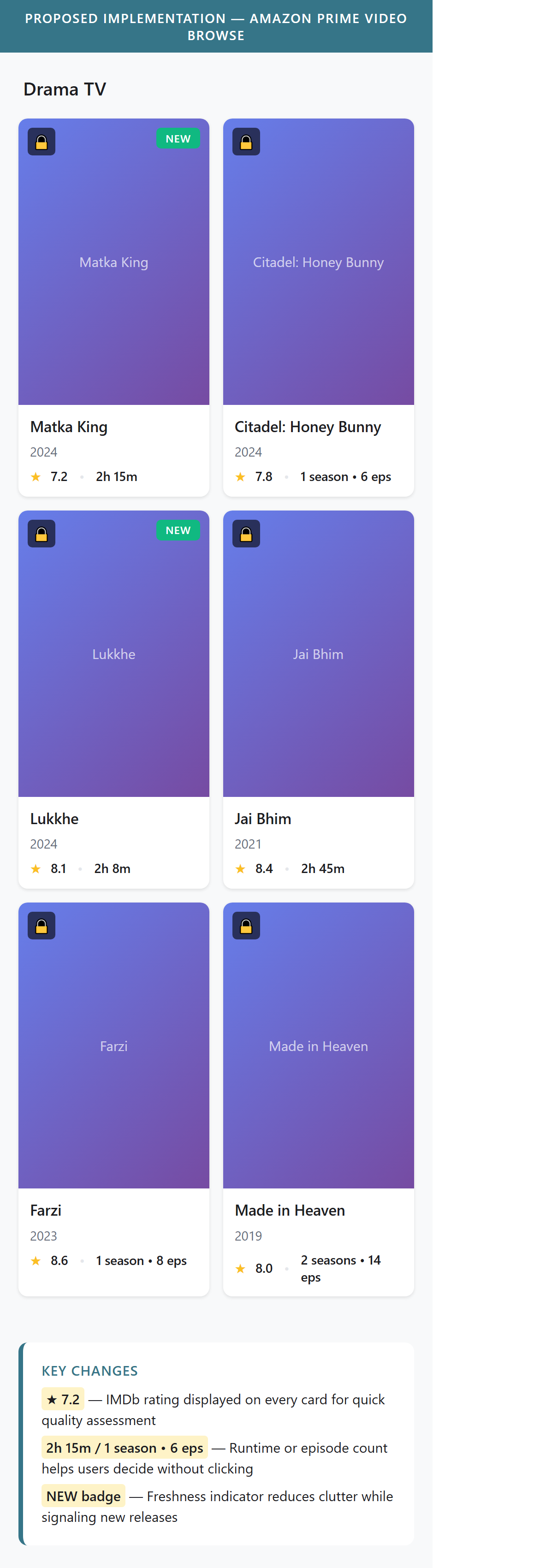
- Add IMDb rating (e.g., '7.2') and runtime or episode count (e.g., '1 season · 10 episodes' or '2h 15min') directly on each content card in the browse list view.
- Display a star icon alongside the IMDb score to make ratings scannable at a glance — no streaming competitor currently implements this on browse cards, making it an opportunity to differentiate.
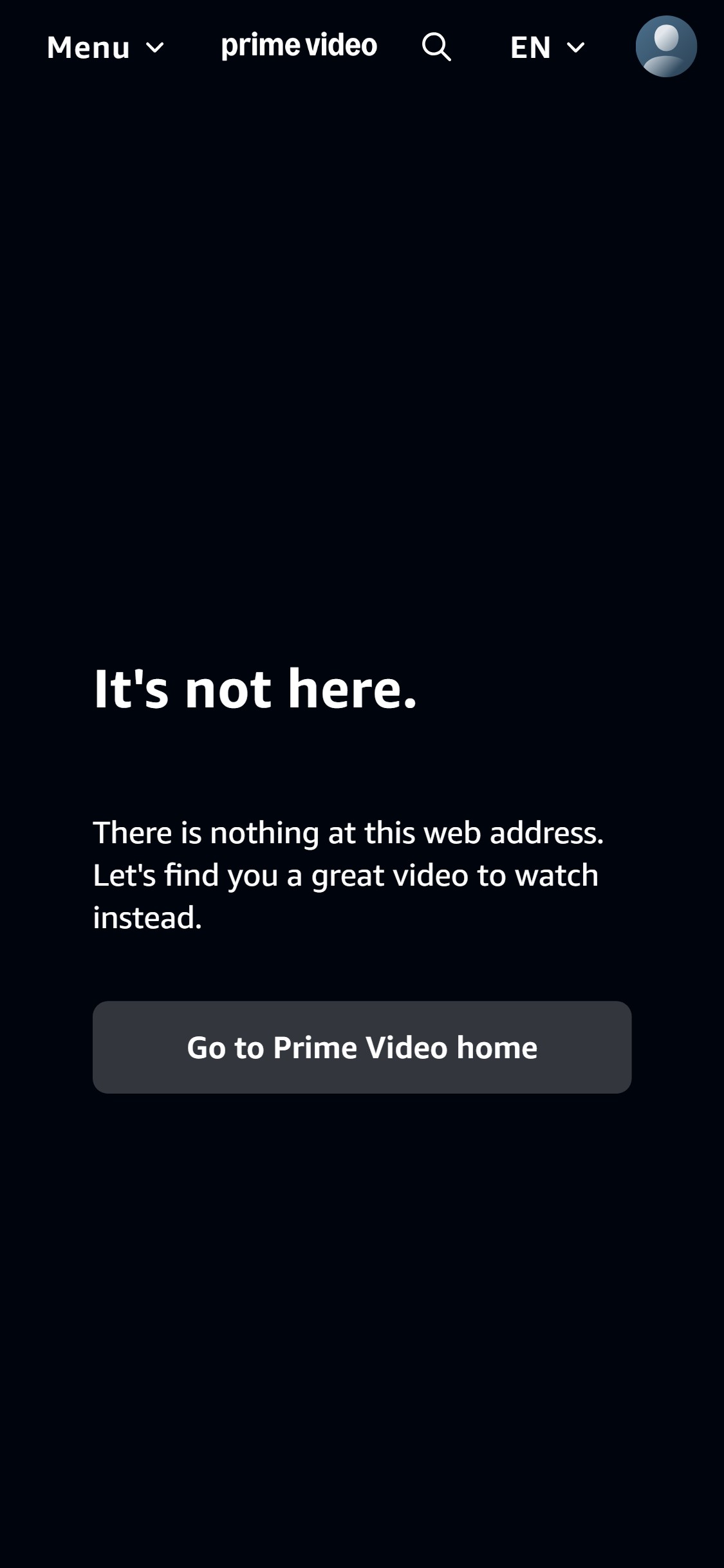
- Navigating to the browse/category URL on primevideo.com shows a blank dark page with 'It's not here. There is nothing at this web address.' — a broken URL returning a custom 404-style error state.
- The error page offers only a single CTA 'Go to Prime Video home' — no category sitemap, no suggested genres, and no search prompt to help the user recover.
- Users landing on category URLs from external links, SEO results, or social shares will hit a dead end with no path to continue browsing, representing a direct bounce risk.
- Audit all genre and category page URLs to ensure they resolve correctly; implement 301 redirects from any deprecated URL patterns to the current canonical browse URL.
- Improve the error page with genre category shortcuts (Drama, Comedy, Action, Kids) and a search bar so users who land on broken URLs can self-direct to relevant content rather than abandoning.
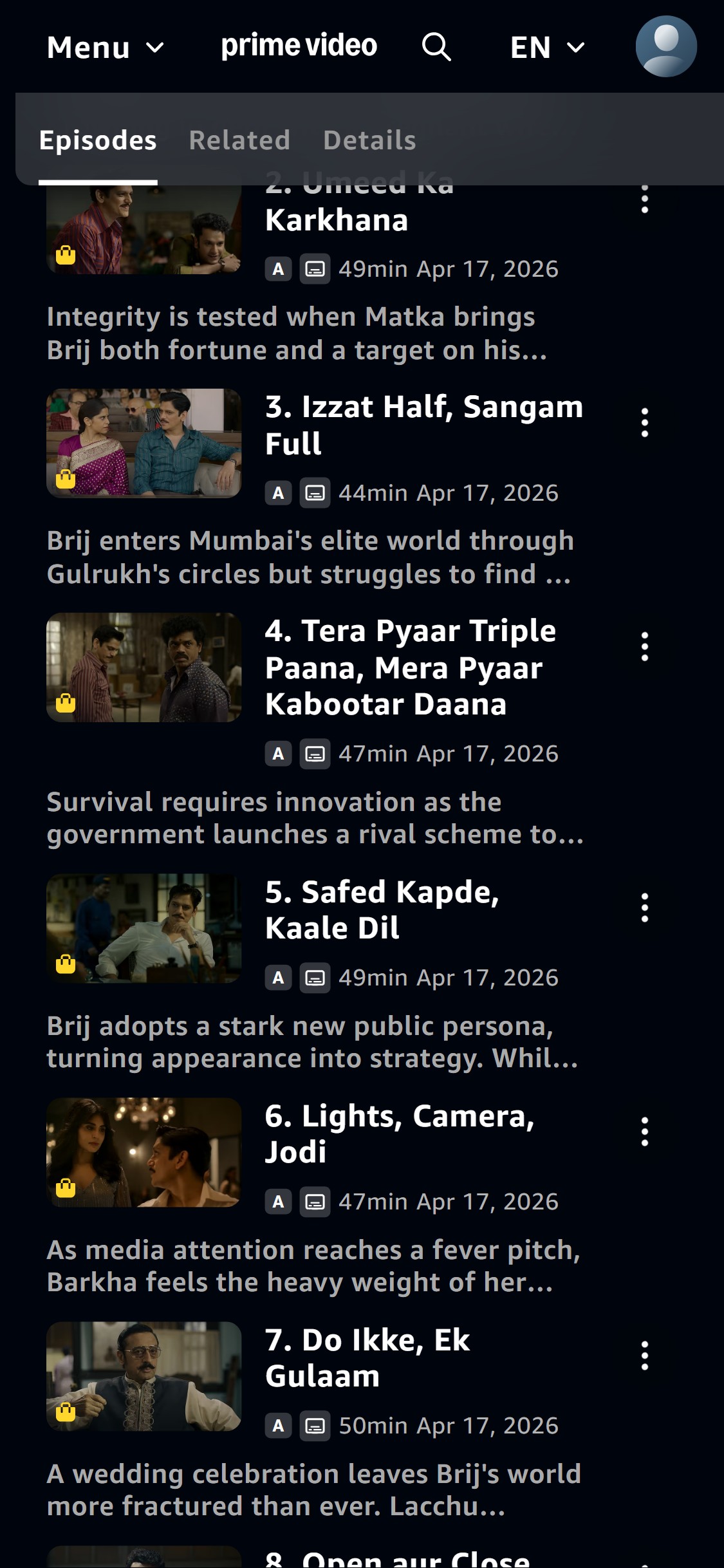
- The Matka King title page shows a 'Subscribe' CTA button inline below the title — but once the user scrolls down to the Episodes tab, this button is completely out of view with no sticky CTA at the bottom of the screen.
- A non-subscriber browsing through 10+ episode thumbnails — the primary evaluation behavior — has no persistent subscribe prompt visible; they must scroll back to the top to initiate a subscription.
- The absence of a sticky subscribe bar on the content detail page breaks the conversion path at the moment of highest purchase intent — after the user has consumed genre, cast, and episode information.
- Implement a sticky bottom bar on all content title pages for non-subscribed users showing: '[Title] — Watch with Prime' with a 'Subscribe' CTA button; this bar should appear after the user scrolls past the inline subscribe button.
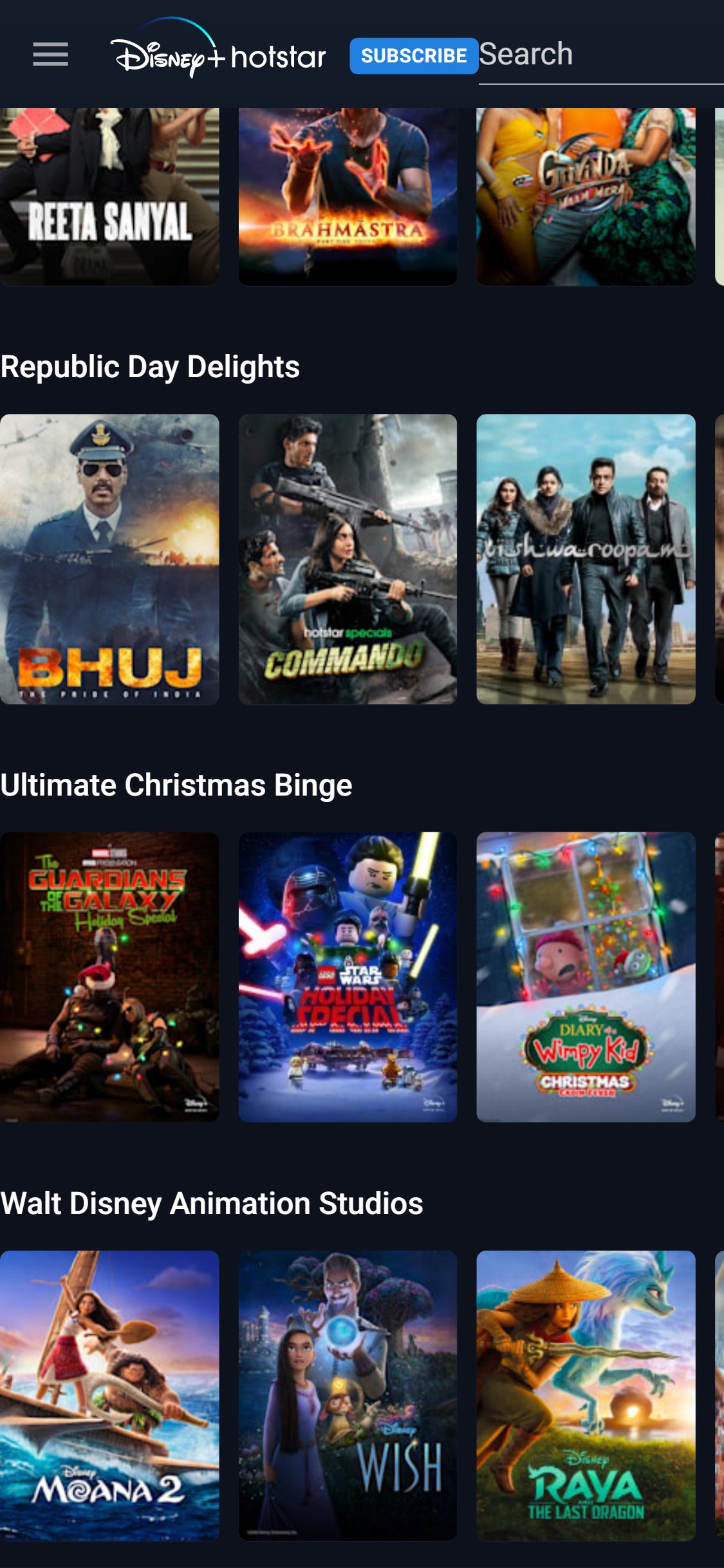
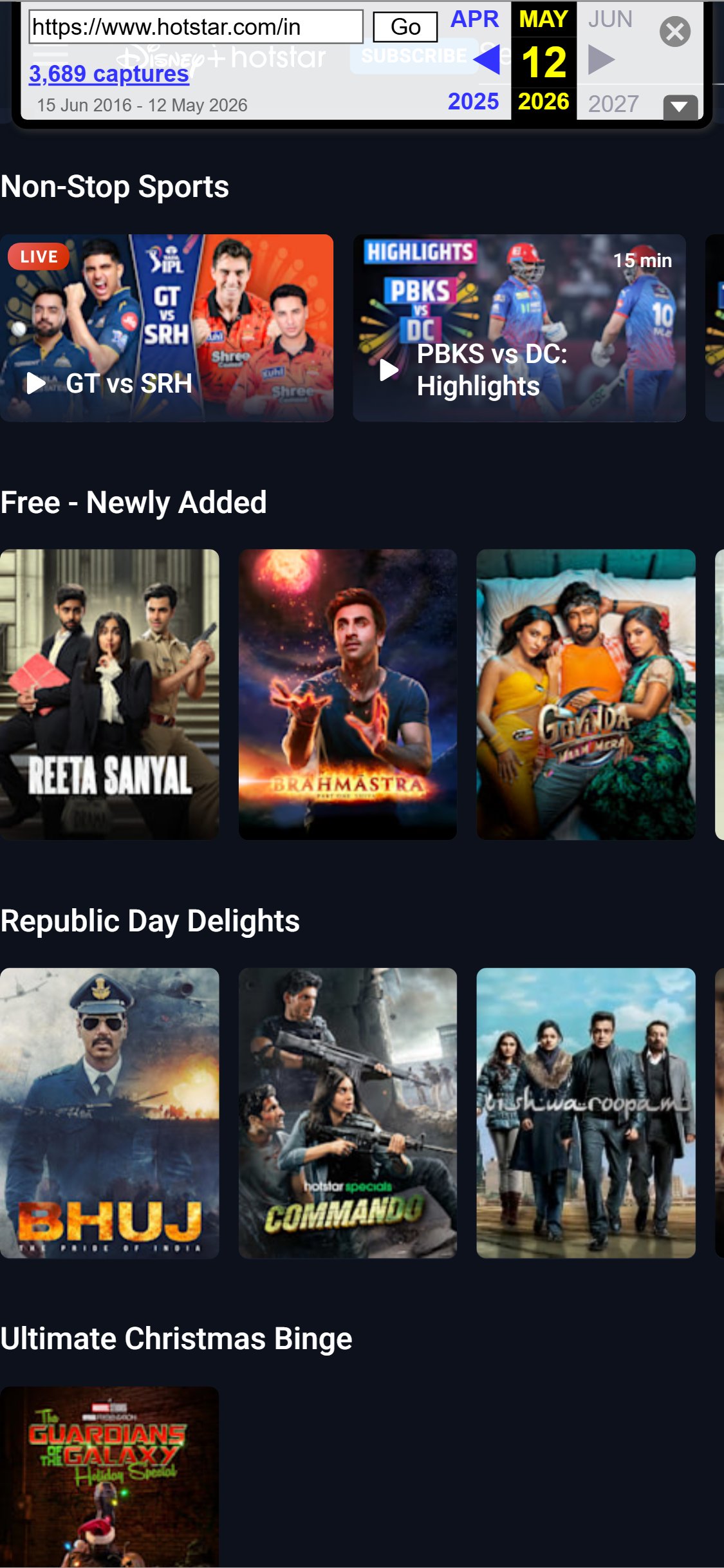
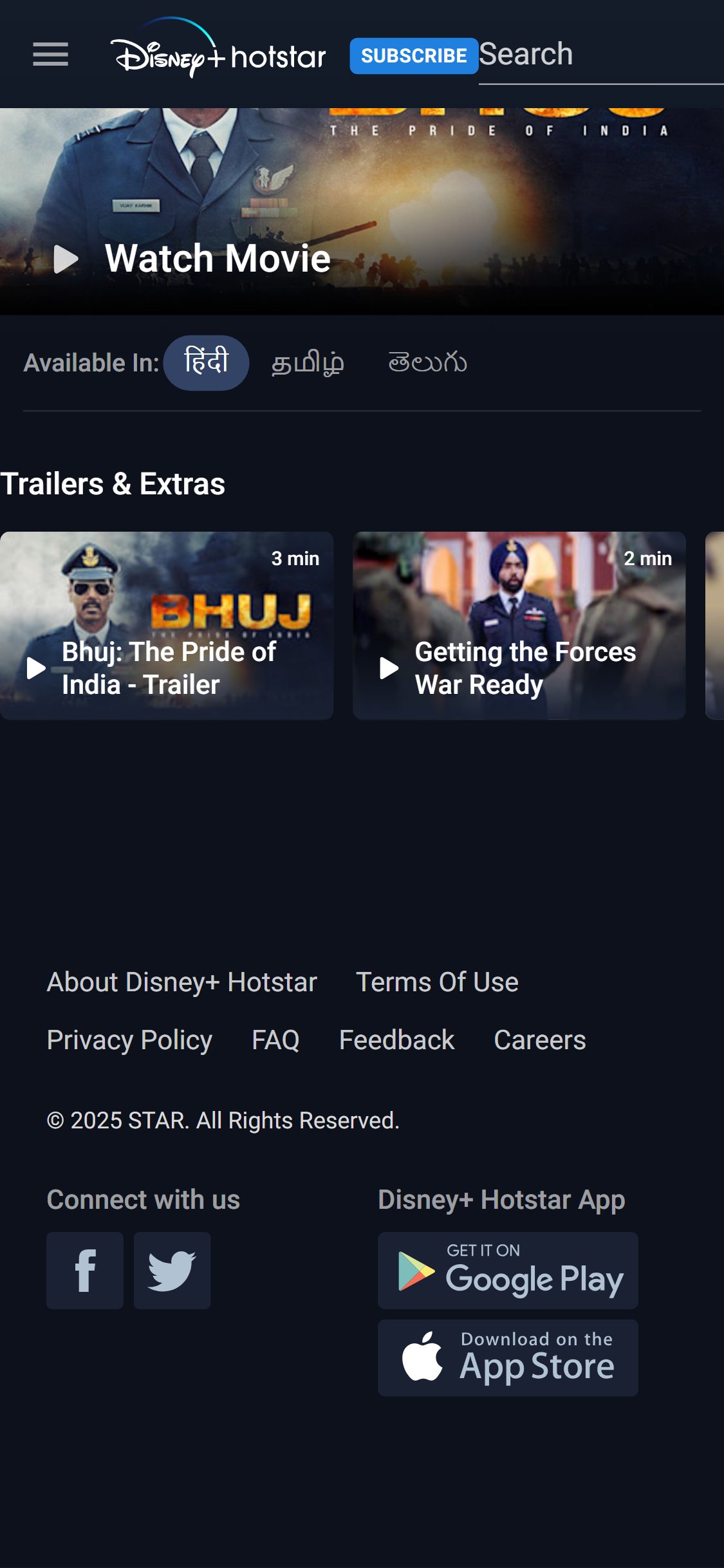
- The sticky bar should be compact (50-60px height) with the title name truncated and a single high-contrast subscribe button — following the pattern Disney+ Hotstar uses on its content title pages.
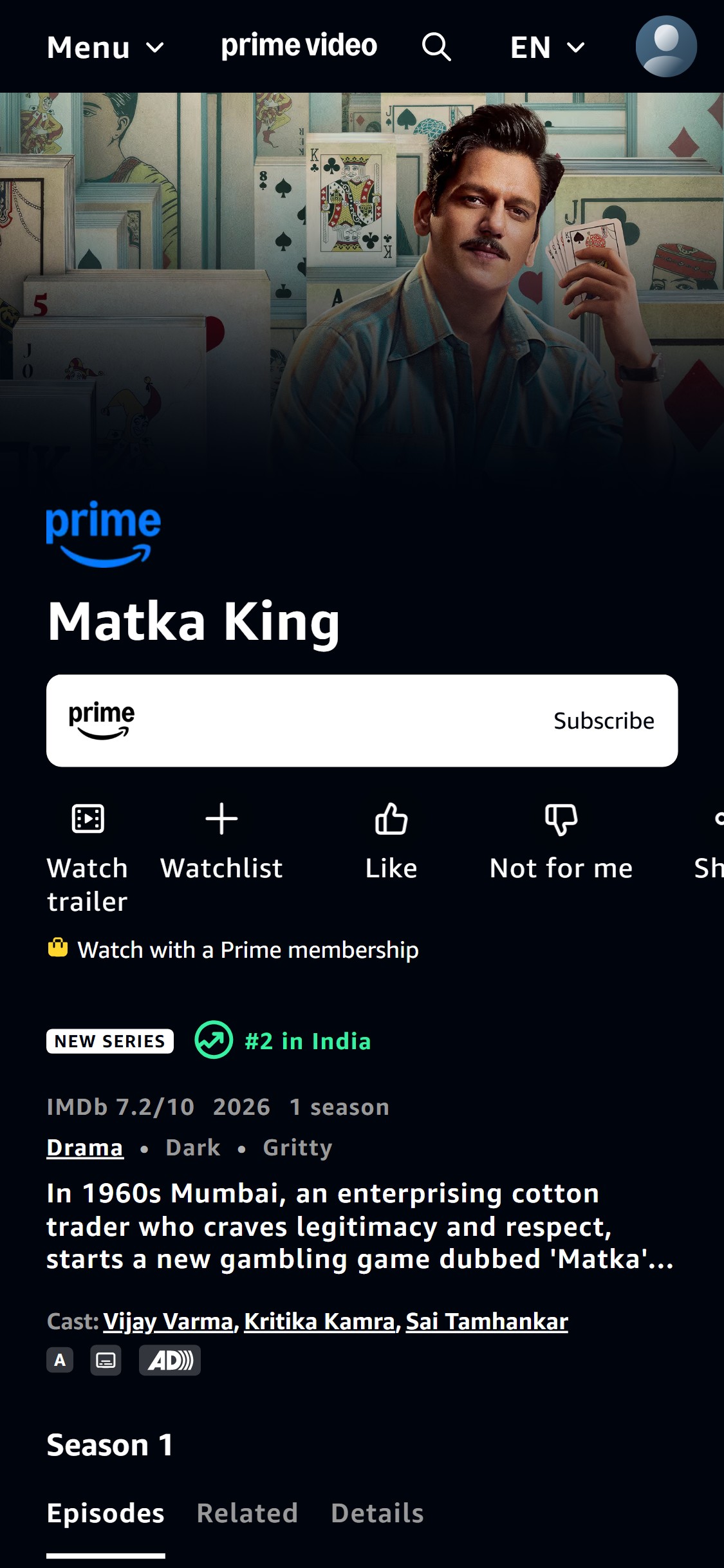
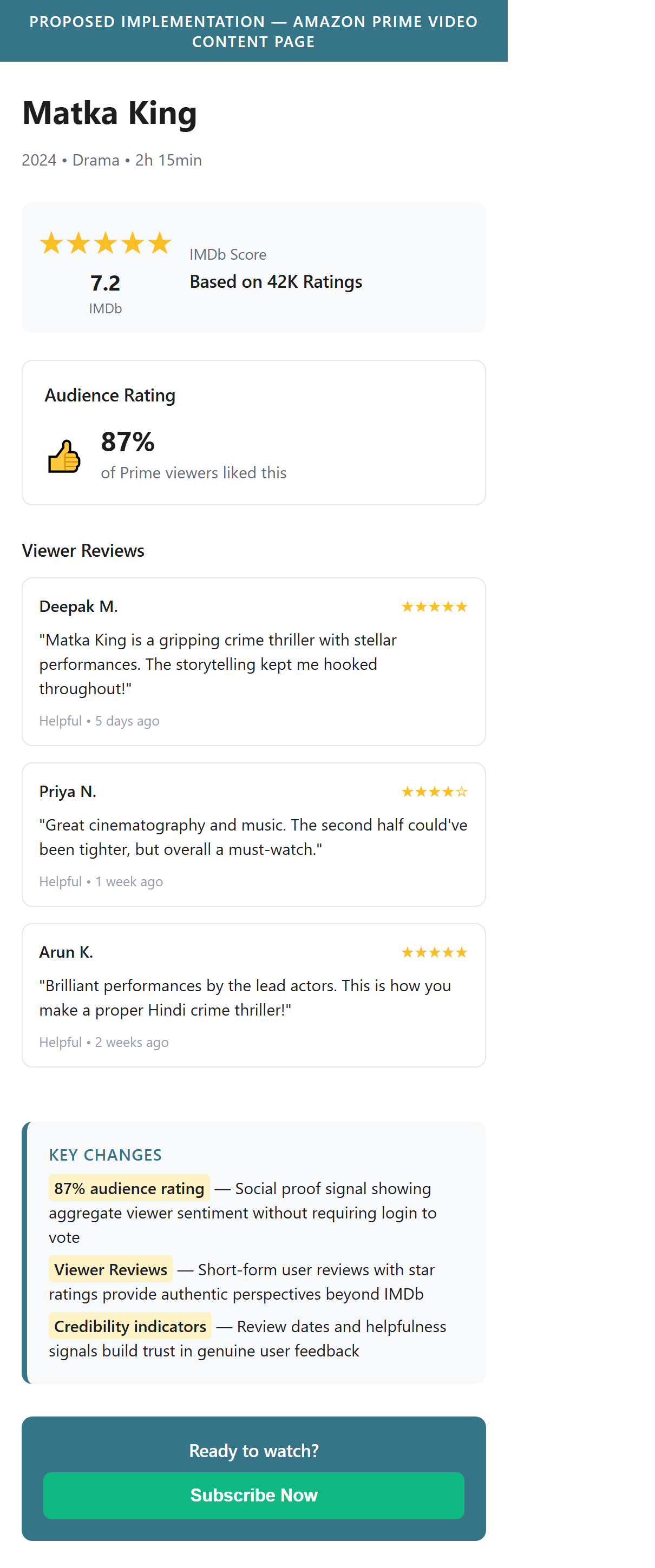
- The Matka King title page shows an IMDb score of 7.2/10 — but there are no audience ratings, no user review count, no 'Like' percentage score, and no written viewer reviews visible anywhere on the page.
- Action icons below the title show 'Watch trailer', 'Watchlist', 'Like', 'Not for me' — but the aggregated Like/Not-for-me count is not displayed, hiding the social proof signal entirely.
- Scrolling through the entire title page to the 'Details' tab shows only Directors, Producers, Cast, and Studio — no viewer ratings or reviews section appears anywhere across the title page.
- Add an aggregate audience rating display near the IMDb score — e.g., '87% of viewers liked this' (based on Like/Not-for-me tallies) — with a count to reinforce social proof.
- Introduce a viewer reviews section under the 'Details' tab or as a new 'Reviews' tab showing short-form user reviews with star ratings — no direct competitor currently implements this, making it a differentiation opportunity.

- The Matka King title page action row shows: 'Watch trailer', 'Watchlist', 'Like', 'Not for me', and a fifth icon — but no 'Download' icon or offline availability messaging is present above the fold.
- Offline download is a key differentiator for India's streaming market given patchy connectivity in Tier 2/3 cities — yet this capability is not communicated anywhere on the visible title page.
- Browsing through the Details tab confirms no download CTA or offline-ready indicator appears anywhere on the full page scroll.
- Add a 'Download' icon (with label 'Available offline') to the action row on content title pages for Prime-eligible content, making offline capability as visible as the Watchlist action.
- Include a brief callout near the Subscribe button on title pages: 'Download to watch offline' — a conversion lever particularly effective for mobile users in Tier 2/3 cities evaluating Prime membership value.
- The Matka King title page shows a static hero image — there is no autoplay trailer, no looping clip, and no hover-to-preview functionality visible on the mobile viewport.
- The 'Watch trailer' action requires a deliberate tap to navigate into a full-screen player — adding friction to what should be a zero-effort preview experience.
- Autoplay trailers are one of the most effective conversion tools on streaming platforms; their absence means users must commit to watching the full trailer separately rather than being passively drawn in by moving content.
- Implement an autoplay muted trailer/clip (15-30 seconds) in the hero area of content title pages that plays automatically on page load for mobile users, with audio activation on tap.
- If autoplay is not feasible, at minimum add a large 'Play Trailer' overlay button on the hero image to reduce the steps required to preview content.
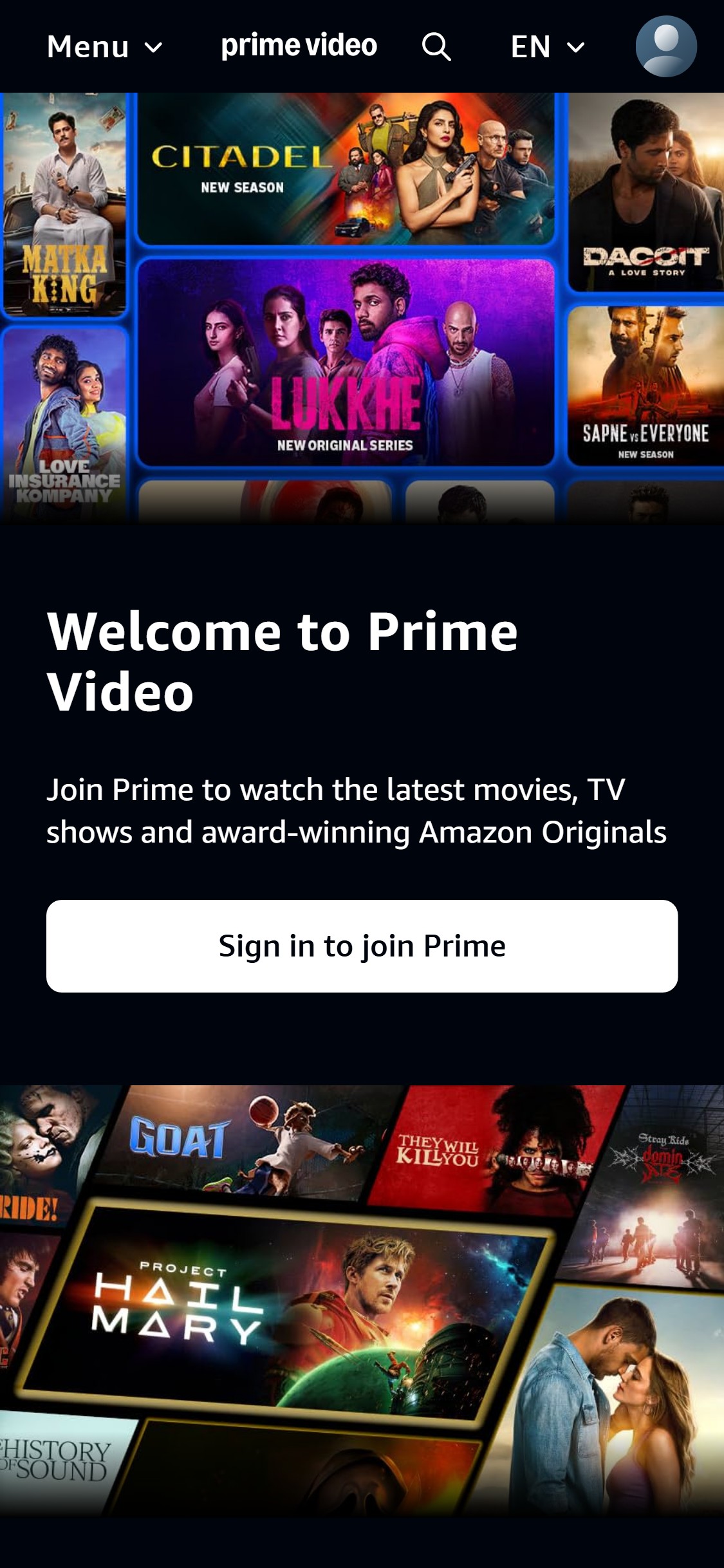

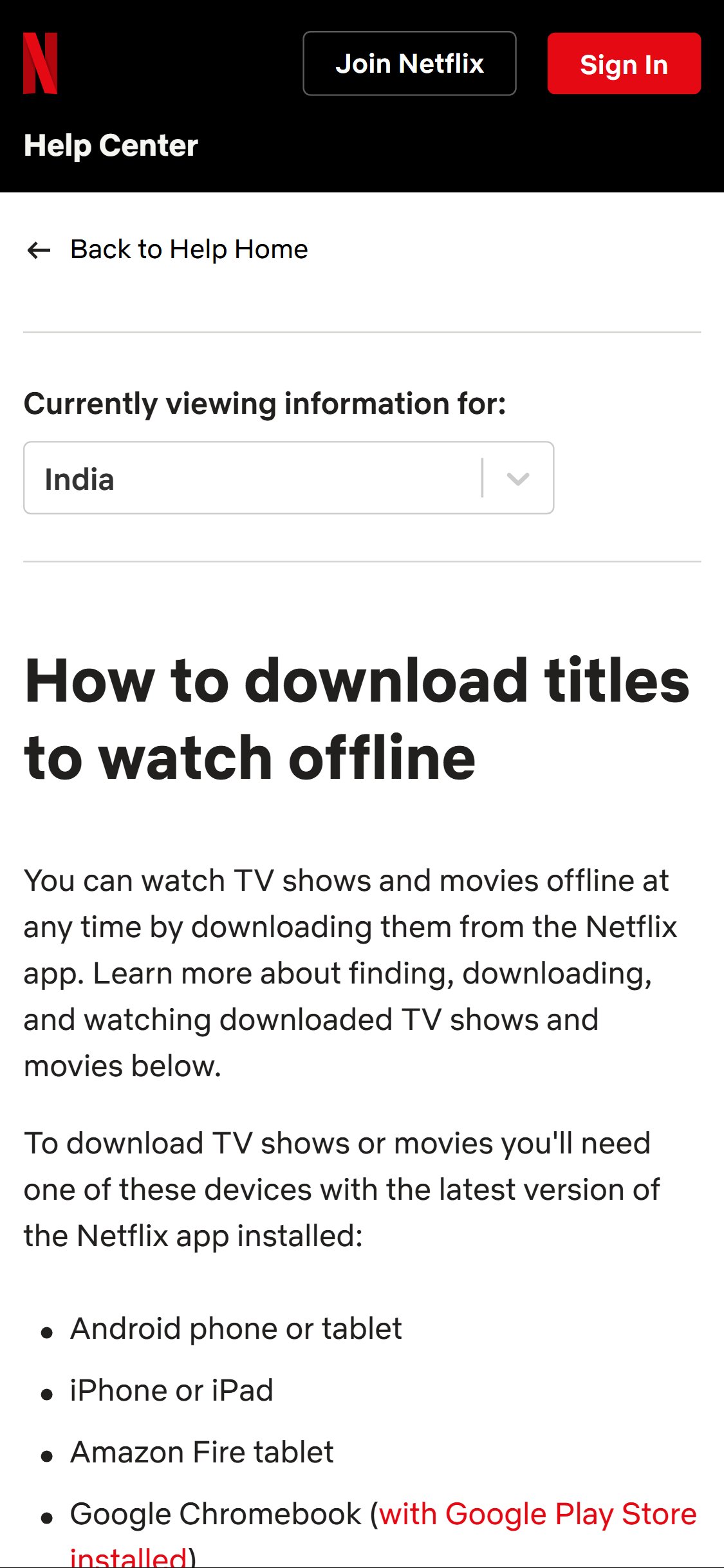
- The subscribe page shows a 'Welcome to Prime Video' message with a single 'Sign in to join Prime' CTA button — there is no plan comparison table, no pricing information, no feature breakdown (HD/4K, screens, offline downloads), and no mention of what 'joining Prime' entails.
- Users arriving at the subscribe page cannot evaluate plan options without proceeding to the Amazon.in Prime membership page — the Prime Video subscribe page acts as a redirect gateway with no conversion content of its own.
- Scrolling through the entire subscribe page reveals only a 'Rent now' option for movies and a channel add-on grid — no Prime subscription tiers, prices, or plan comparison are present anywhere on this page.
- Add a plan comparison section to the Prime Video subscribe page showing at least 2-3 tiers (Mobile, Annual, Monthly) with pricing and key feature differentiators (HD streaming, number of simultaneous screens, offline downloads).
- Position the plan comparison table above the fold with a clear 'Start Free Trial' or 'Subscribe Now' CTA per plan — the current single 'Sign in to join Prime' provides no conversion context.
- The subscribe page's primary CTA — 'Sign in to join Prime' — is presented with zero trust reinforcement: no 'Cancel anytime' micro-copy, no 'No ads on Prime content' callout, no security badge, and no mention of a free trial period.
- The hero copy reads 'Join Prime to watch the latest movies, TV shows and award-winning Amazon Originals' — while this communicates value, it does not address the primary subscription anxiety signals: cost, commitment, and cancellation.
- Full scroll through the subscribe page footer confirms no trust badges, no 'Secure payment' assurance, and no 'Cancel anytime' guarantee anywhere on the page.
- Add 3-4 trust micro-copy elements immediately below the 'Sign in to join Prime' CTA button: 'Cancel anytime' (checkmark icon), '30-day free trial' (timer icon), 'Secure payment' (lock icon), 'No commitment' (shield icon).
- Place a 'What's included in Prime?' expandable section on the subscribe page listing core benefits (Prime Video, Prime Delivery, Prime Music) — reassuring users they understand the full value before committing.
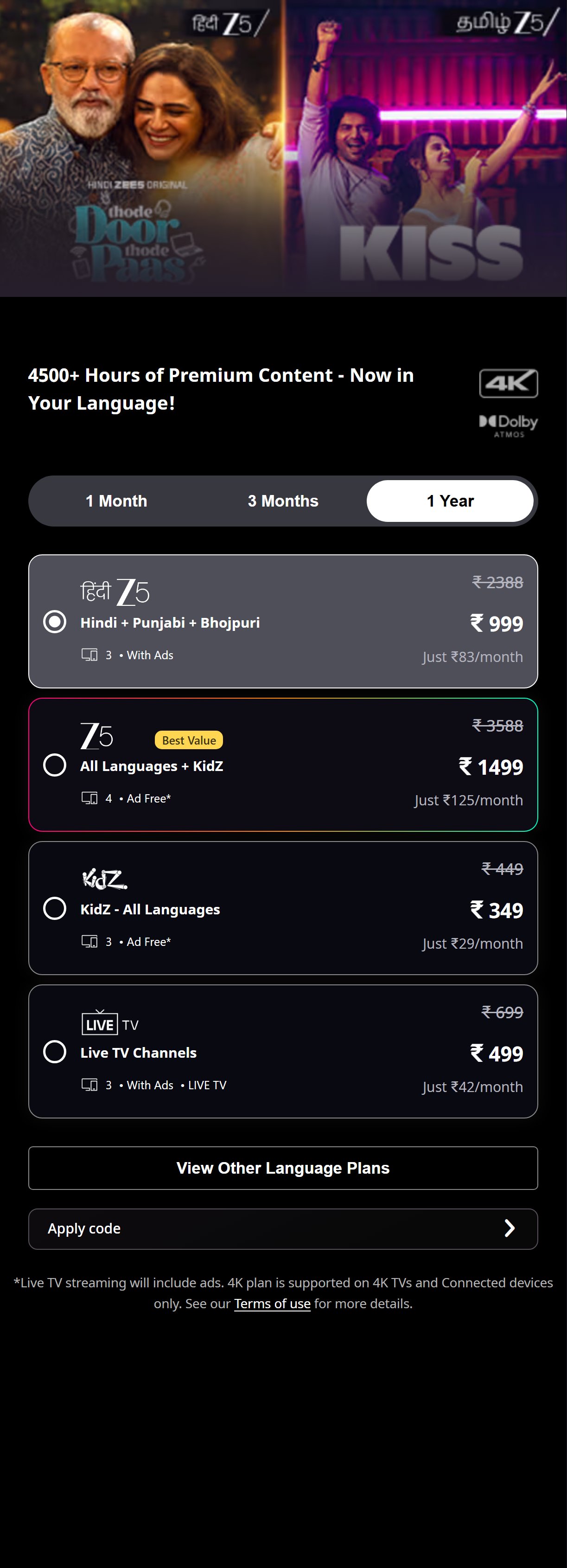
- The subscribe page does not display any subscription plan options, so there is no annual vs. monthly comparison, no '2 months free with annual plan' messaging, and no savings calculation visible.
- Without a plan comparison, the annual subscription upsell opportunity is completely absent — users who would prefer a lower per-month cost via annual billing have no way to discover this option on the subscribe page.
- India-specific benchmarks show annual plan messaging drives 20-30% higher LTV subscriptions on streaming platforms where it is prominently featured.
- Add an annual plan callout with explicit savings messaging: 'Annual plan at ₹1,499/year = ₹125/month — Save ₹598 vs monthly' with a visual badge highlighting the savings percentage.
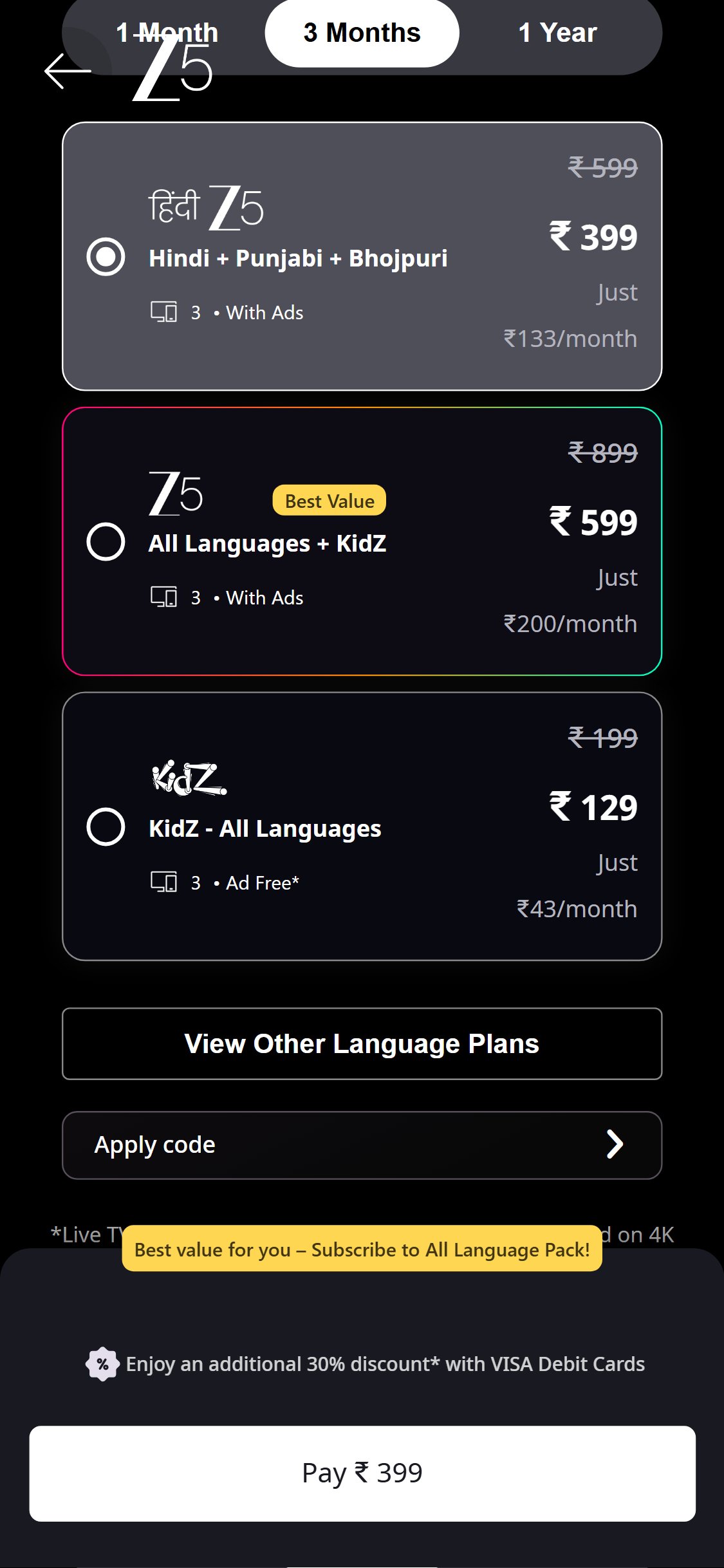
- Pre-select the annual plan option by default in the plan toggle (highlighting it as 'Best Value') to nudge users toward the higher-LTV option, with an easy toggle to switch to monthly.
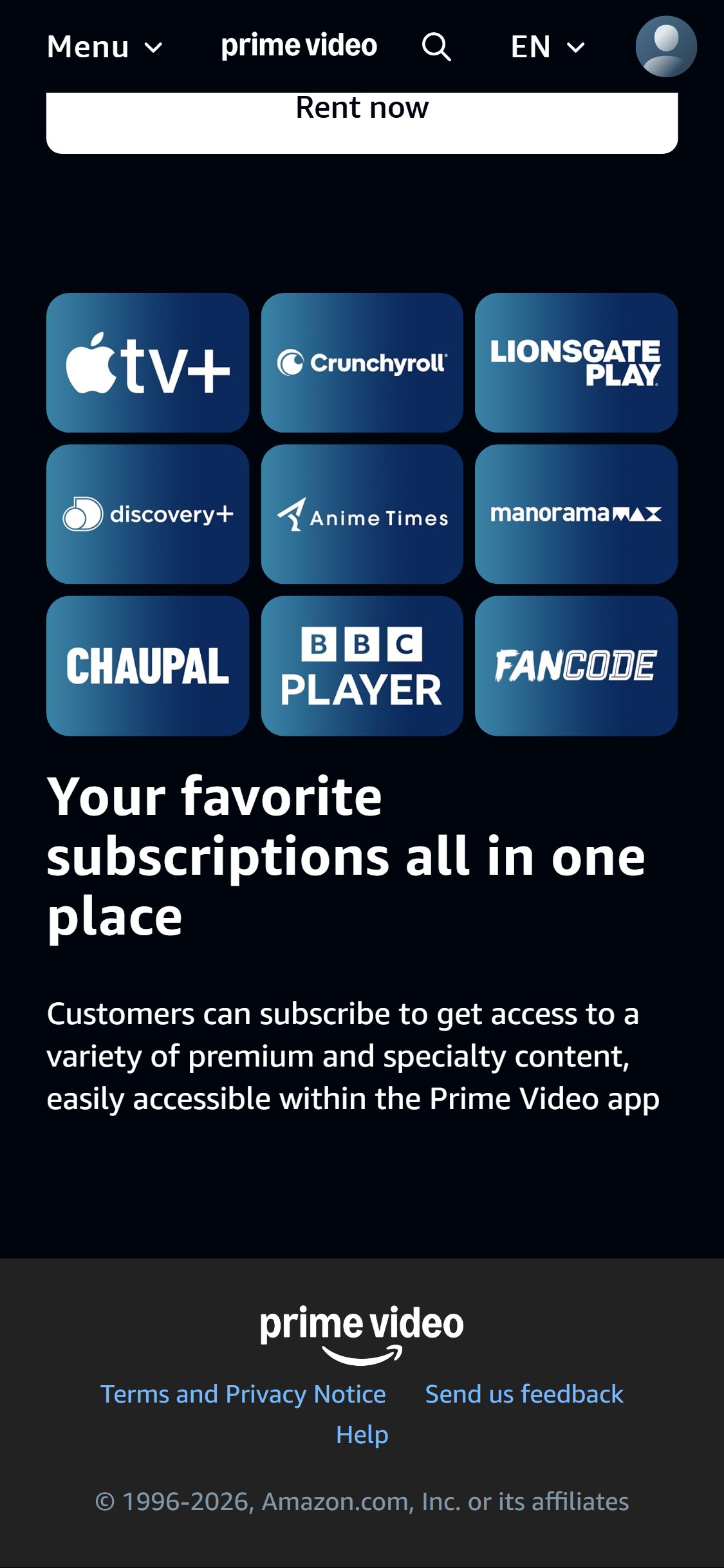
- The subscribe page across all scroll screenshots shows no payment method icons — no UPI logo, no PhonePe/Google Pay/Paytm icons, no credit/debit card logos, and no BNPL option anywhere on the subscribe page.
- In India, UPI accounts for 60-65% of digital payment transactions; the absence of UPI payment reassurance on the subscribe page creates uncertainty about whether users can pay with their preferred method.
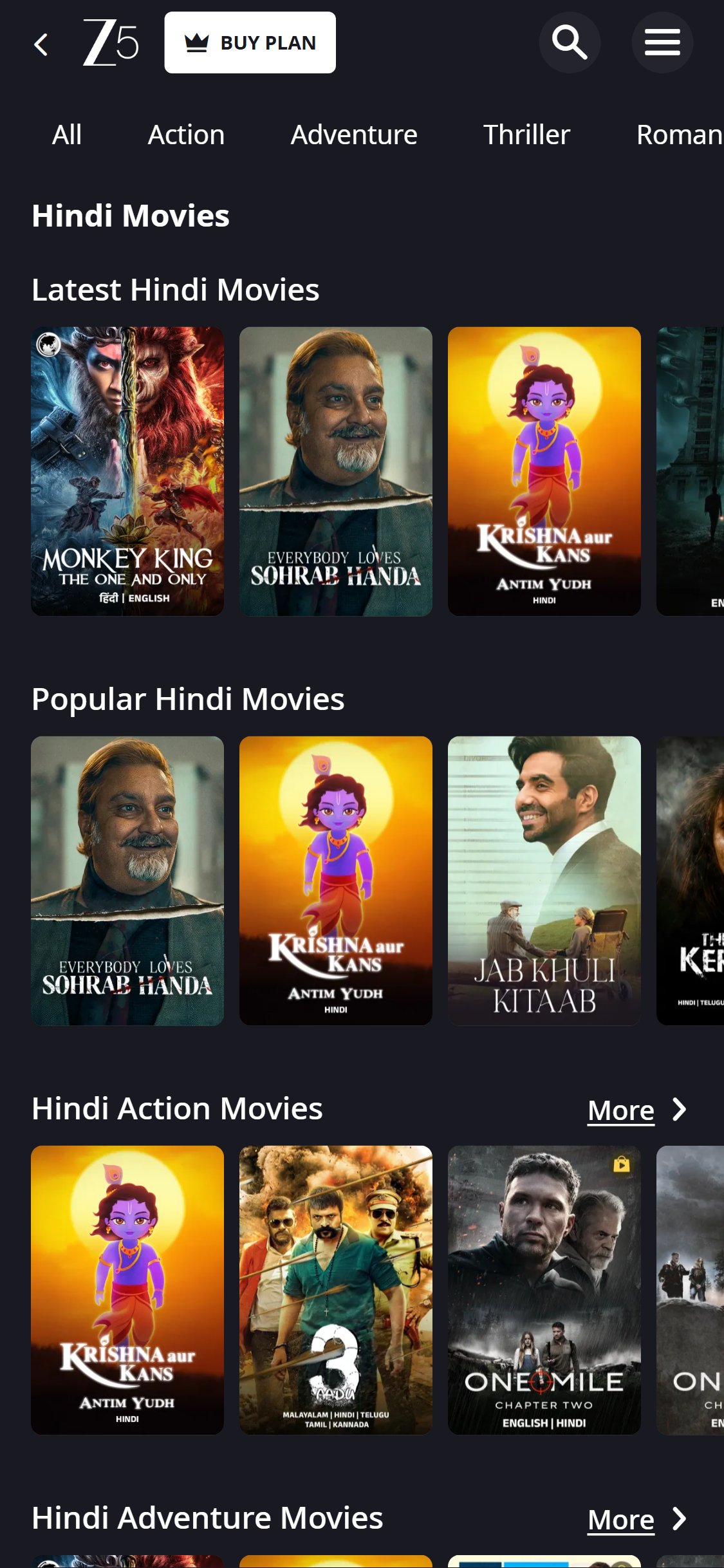
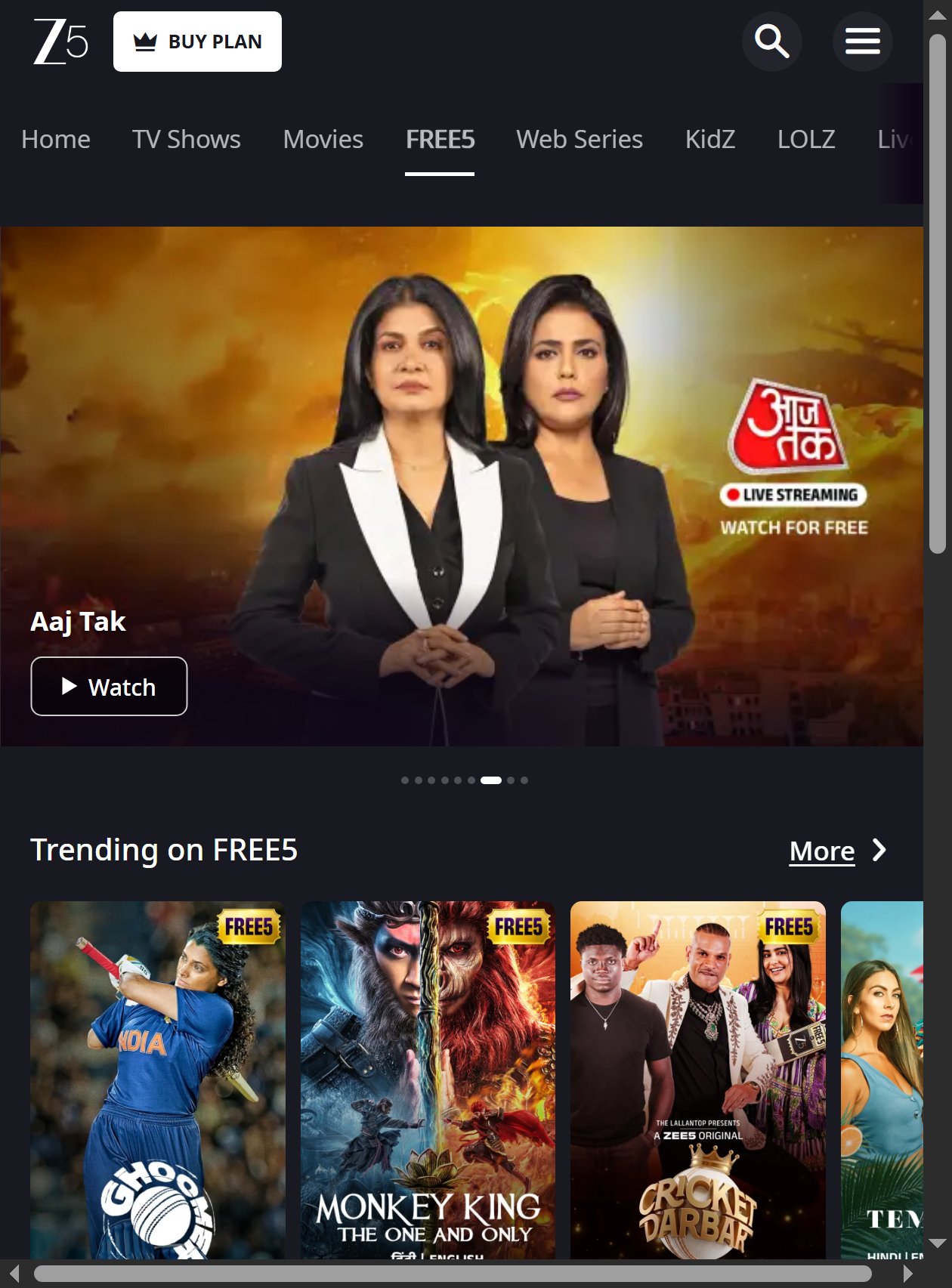
- The footer of the subscribe page shows only legal links — no payment trust logos or icons appear, unlike Zee5 which prominently shows payment method communication near their subscribe CTAs.
- Add a row of payment method icons (UPI, PhonePe, Google Pay, Visa, Mastercard) below the 'Sign in to join Prime' CTA button to reassure users that popular Indian payment methods are accepted.
- Include a 'Pay with UPI' callout explicitly — showing the familiar UPI badge reduces payment hesitation significantly among Indian users.
Performance & Technology
Core Web Vitals, page-speed signals, and the technology stack powering Amazon Prime Video
Core Web Vitals
Technology Stack
Performance & Technology Assessment
Mobile performance is needs work (52/100); desktop is needs work (54/100) on Custom (Amazon proprietary). Page-speed and Core Web Vitals are increasingly load-bearing for SEO and conversion in this category — addressing the weakest vital first is the single highest-leverage technical improvement available.
Confidential — Prepared for Amazon Prime Video by Growisto | May 2026
Technology Ecosystem
Technology stack assessment — installed tools vs recommended additions for Custom (Amazon proprietary) stores
Present (10)
Missing (13)
App Stack Assessment
10 apps detected, 13 critical gaps identified
Confidential — Prepared for Amazon Prime Video by Growisto | May 2026